




From EPC to BPMN: What really happens when you convert a process repository
 03 September 2026
 If your process repository is built on Event-driven Process Chains (EPCs), the idea of converting to BPMN 2.0 can feel daunting. EPCs have supported Business Process Management (BPM) programmes for decades, particularly in organisations with a long modelling history. The models reflect years of accumulated process knowledge, and the prospect of recreating thousands of them manually is enough to make many organisations postpone the conversion indefinitely.
That concern is understandable. For a long time, moving from one notation to another was closely associated with rebuilding large parts of a repository. Today, however, repository conversion is a structured migration process rather than a modelling exercise. Understanding what actually happens during that process helps separate genuine technical considerations from assumptions that changing platforms means starting over.
What is EPC to BPMN conversion?
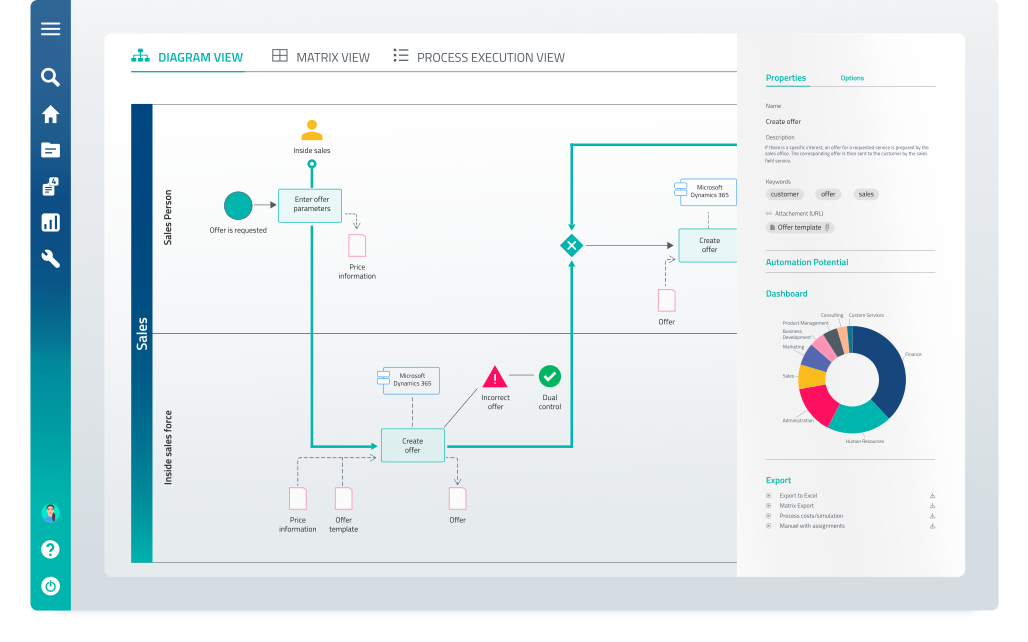
EPC to BPMN conversion is the migrating process models from Event-driven Process Chain (EPC) notation to BPMN 2.0, the standard maintained by the Object Management Group (OMG) for business process modelling. Although the two notations look different, they describe the same underlying business processes using similar building blocks: activities, decisions, events, and participants.
Because the underlying process logic remains the same, repository conversion is not about recreating models one by one. Most modelling elements can be mapped systematically as part of a structured migration process.
What is the difference between EPC and BPMN?
The EPC vs BPMN difference lies less in what the two notations describe than in how they express it. Both are sequence-flow notations built from activities, decisions, participants, and events – but they organise these elements in different ways.
The main difference is how process logic and responsibilities are represented. In EPC, functions describe the activities within a process and are connected through events and logical connectors. BPMN expresses similar concepts through tasks, events, and gateways but follows a different structure for representing process flows and ownership.
Most core modelling elements therefore have a clear equivalent between the two notations. Functions typically become BPMN tasks, events remain events, and logical connectors can be mapped to the corresponding BPMN gateways. The areas that require more consideration are usually not the process steps themselves, but the modelling conventions around them.
One common example is organisational responsibility. EPC models often attach roles or organisational units directly to functions, while BPMN typically represents responsibility through pools, lanes, or resource assignments. Moving between the two approaches requires a decision about how responsibilities should be structured in the target model. This EPC BPMN mapping process is, therefore, not only a technical translation between notations but also a way of deciding how existing process knowledge should be represented in the future environment.
The same applies to elements such as application references, custom attributes, or organisation-specific modelling extensions. These are not technical barriers to conversion, but they require an understanding of the existing repository and clear decisions about how the information should be represented going forward.
This is why a successful EPC to BPMN conversion is not simply a notation change. It is a structured migration process that combines automated transformation with deliberate modelling decisions where standards differ.
What actually transfers when you convert an EPC repository to BPMN?
A process repository contains much more than diagrams. The value of a migration lies not only in preserving the visual models but also in transferring the information that makes those models useful in practice – including attributes, ownership, documentation, and language versions.
During an EPC to BPMN conversion, the elements that typically need to be considered include:
- EPC process models and BPMN diagrams
- Value chains and process landscapes
- Organisational structures
- Roles and responsibilities
- Process attributes and documentation
- Multi-language repositories
Multi-language repositories deserve particular attention. Translations represent not only additional modelling effort, but also significant organisational knowledge built up over time. Recreating this content manually can therefore become one of the most resource-intensive parts of a repository migration.
Knorr-Bremse shows why preserving this information matters at enterprise scale. As a global manufacturer of braking systems and other rail and commercial vehicle technologies, the company manages complex processes across international locations and languages. During its migration from ARIS to GBTEC Platform, several thousand process models were transferred, multiple notations were converted automatically, and repositories across twelve languages were preserved. This allowed Knorr-Bremse to protect its existing process knowledge while creating a more accessible foundation for future process management.
What requires human judgement in an EPC to BPMN conversion?
A successful repository migration is not about moving everything automatically without review. Some elements require decisions because they reflect how an organisation has chosen to structure, govern, and maintain its process knowledge over time.
Four areas typically require human input:
- Custom attributes and extensions
Many organisations extend their process repositories with additional attributes, customised objects, or specific modelling structures. These elements need to be reviewed and mapped deliberately to ensure that relevant information is preserved. The scope of this work can usually be identified early through a repository inventory. - Scripted reports and macros
Automation built around a specific platform’s scripting environment does not transfer automatically to another system. Reports, scripts, and macros need to be reviewed, rebuilt where necessary, and assessed against their current value. A migration is often a good opportunity to identify automation that is no longer actively used. - Modelling conventions
Long-running process programmes naturally develop their own modelling practices. Some are formal standards, while others evolve as local habits. A migration creates a useful point to evaluate which conventions should continue and which can be simplified. - Content that should not move
Not every model in a repository still represents active business knowledge. Over time, repositories often accumulate outdated or rarely used content. Reviewing this information before migration helps organisations move forward with a cleaner and more valuable process landscape.
The important point is that these decisions are not unexpected obstacles. They are part of a structured migration approach and can be identified before the conversion begins.
How long does an EPC to BPMN migration take?
The timeline for an EPC to BPMN migration depends on repository size, complexity, and the decisions required during the transition. When looking specifically at the ARIS migration timeline, experience from more than 100 completed ARIS-to-GBTEC Platform migrations shows that smaller environments typically take one to two weeks, medium repositories two to four weeks, and large enterprise landscapes four to six weeks.
The automated conversion phase is typically much shorter than the overall project timeline. Most of the effort goes into repository analysis, validation, and agreement on modelling standards, all of which help ensure that the migrated content remains useful after the move.
This changes how migration risk is often perceived. While a repository may represent years of accumulated process knowledge, the migration itself can often be completed within weeks, allowing organisations to preserve what they have built while creating a more accessible foundation for the future.
Should you convert to BPMN at all?
Not necessarily. If your organisation works effectively with EPC, has established modelling practices, and does not need greater interoperability with other process tools, keeping your existing notation can be a reasonable choice. A migration does not automatically require a notation change.
The case for converting to BPMN usually comes from broader business requirements: BPMN 2.0 is an internationally recognised standard with wide tool support; it is commonly used as a bridge between process modelling and workflow automation, and many new process practitioners are already familiar with it.
The consideration is that changing both the platform and notation at the same time introduces additional change for users. For many organisations, the more practical approach is to migrate the repository first, establish the new environment, and then evaluate notation conversion as a separate step.
The right sequence depends on the organisation’s goals – the important point is that platform migration and notation conversion are related decisions, but they do not have to happen at the same time.
Planning a repository migration? The ARIS Migration Handbook covers object transfer, migration phases, key decision points, and how to build the business case.
Frequently asked questions
How do I convert EPC models to BPMN 2.0?
EPC models can be converted to BPMN 2.0 by mapping the elements of the existing process repository to their BPMN equivalents. Activities, events, and logical connectors can often be transferred automatically, while areas such as organisational responsibilities or customised modelling structures may require validation and decision-making.
A structured inventory before migration helps identify which elements can be converted directly and where additional review is needed.
Do I have to redraw all my EPC models manually to convert EPC to BPMN?
No. A repository migration does not require organisations to recreate thousands of process models manually. Automated conversion can transfer the majority of standard process elements, while experts review specific areas where modelling decisions are required.
The goal is to preserve existing process knowledge while adapting it to the target notation and platform.
Can EPC and BPMN coexist, or do I have to fully switch?
EPC and BPMN can coexist during a transition period. Many organisations choose to migrate their repository first and evaluate notation conversion separately, especially when they want to minimise change for process users.
The right approach depends on business goals, existing modelling practices, and future requirements for automation or interoperability.
What happens to multi-language process documentation during migration?
Multi-language repositories can be migrated while preserving existing language versions, depending on the structure of the source repository. This is an important consideration because translations often represent years of accumulated process knowledge and significant organisational effort.
Preserving this content avoids the need to recreate documentation manually after migration.
Do custom scripts or macros transfer automatically during conversion?
Custom scripts, reports, and macros built for a specific platform typically require separate review. They depend on the original system’s scripting environment and may need to be rebuilt or replaced in the new platform.
Migration is often a good opportunity to evaluate which automations are still actively used and which can be simplified.
Is it risky to migrate my process repository to a new BPM platform?
A repository migration always requires planning, but the main risks can be identified before the conversion begins. A structured assessment of models, attributes, customisations, and content quality helps define what will transfer automatically and where decisions are needed.
With a phased approach – including inventory, pilot conversion, validation, and controlled rollout – organisations can preserve their process knowledge while reducing migration risk.
GBTEC Software AG
Gesundheitscampus-Süd 23
44801 Bochum
Germany
